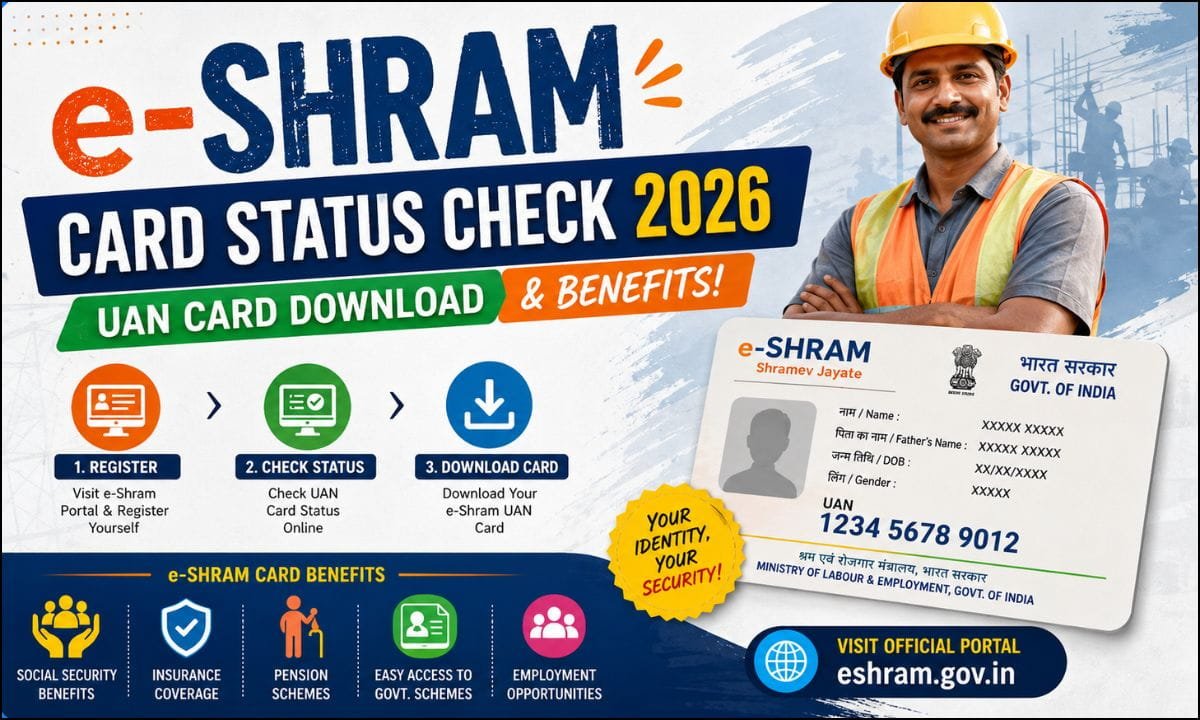
e-Shram Card Status Check 2026: For most of India’s working population employed in the unorganized sector, from carpenters and masons to street vendors, domestic workers, agricultural labourers, and gig-economy delivery partners, there had never been a single national record acknowledging their existence as workers, let alone connecting them to social security. The e-Shram portal, launched by the Ministry of Labour and Employment, was built specifically to close that gap. It creates a centralized national database of unorganized workers, issues each one a permanent identity in the form of a 12-digit Universal Account Number, and links that identity to a growing set of insurance, pension, and welfare benefits.
By 2026, the scale of this e-Shram Card has become genuinely enormous, with the portal having crossed 30 crore registrations. As the government continues to expand what the e-Shram card can unlock, from accident insurance to pension access to newer initiatives like the e-Shram One Stop Solution App, workers who registered years ago and those registering for the first time both need a clear picture of how to check their status, download their card, keep their profile updated, and make full use of the benefits they are entitled to. This e-Shram Card guide covers all of it in detail.
What Is the e-Shram Card and Why It Matters?
The e-Shram Card is, at its core, a registration document. It is not a wallet, a bank account, or a scheme by itself; rather, it is proof that a worker has been formally recorded in the government’s National Database of Unorganized Workers, and it is the key that unlocks eligibility for a range of separate schemes layered on top of that registration. Every worker who registers receives a unique 12-digit Universal Account Number, commonly referred to as the UAN, which is permanent for life and remains valid no matter how many times a worker changes their job, employer, location, or occupation. This portability is one of the card’s most important features, since unorganized-sector work is often unstable and workers frequently move between different types of labour or migrate between states in search of work; the UAN follows them regardless.
Registration is intended for genuinely unorganized workers, meaning those who do not have access to formal employment protections. Broadly, this includes workers between the ages of 16 and 59 who are Indian citizens and who are not already registered as members of the Employees’ Provident Fund Organisation, the Employees’ State Insurance Corporation, or the National Pension System. Since these three institutions already provide their own structured social security coverage, e-Shram is specifically designed to reach the much larger population that falls outside all of them. Notably, students above 16 years of age who work part-time in unorganized-sector jobs can also register, provided they are not already covered under EPFO or ESIC.
What Benefits an e-Shram Card Unlocks?
While the e-Shram Card itself does not directly deposit money, it is the gateway to several concrete benefits, some of which are automatically extended to every registered worker and others which require separate enrolment in a linked scheme.
Accidental insurance cover. Registered workers receive accidental insurance cover, typically cited at ₹2 lakh, provided under the Pradhan Mantri Suraksha Bima Yojana framework. This cover activates automatically for eligible registered workers and is one of the most immediately valuable protections the card offers, since unorganized-sector work often involves greater physical risk with little to no employer-provided safety net.
Pension access through PM-SYM. The e-Shram Card integrates easily with the Pradhan Mantri Shram Yogi Maandhan scheme, which allows eligible unorganized workers to build toward a pension of up to ₹3,000 per month after reaching the qualifying age, through a modest monthly contribution matched by the government.
Life insurance under PMJJBY. Alongside accident cover, registered workers can also access life insurance protection worth ₹2 lakh under the Pradhan Mantri Jeevan Jyoti Bima Yojana, extending financial protection to a worker’s family in the event of death.
Skill-based credit through PM Vishwakarma. For workers in traditional artisan trades, roughly 18 specific occupational categories are covered, the e-Shram registration can also connect to the PM Vishwakarma scheme, which offers skill credit support of up to ₹3 lakh to help artisans invest in tools, materials, or their trade more broadly. Because this particular scheme is occupation-specific, it is important that a worker’s occupation code on their e-Shram profile accurately reflects their actual trade, since an incorrect code can result in the worker not appearing in the eligibility list for this benefit at all.
Direct benefit transfers during emergencies and disasters. Because every registered worker’s bank account details are captured and linked to their UAN, the e-Shram database also serves as a ready-made channel for the government to route direct financial assistance during emergencies, natural disasters, or specific relief measures, without needing to build a fresh beneficiary list each time.
Access to multiple schemes through a single identity. In 2026, the government launched the e-Shram One Stop Solution App, which allows a registered worker to use their single UAN to apply for a range of other schemes, including PM Svanidhi, the street-vendor micro-credit scheme, and MGNREGA, the rural employment guarantee programme, without having to separately re-register their basic details each time.
It is worth being clear-eyed about one common point of confusion: the e-Shram Card itself does not hold a balance the way a wallet or bank account would. It is purely a registration and identity document. To check whether any government payment has actually been transferred to you, whether under PM-SYM, an insurance claim, or a direct benefit transfer, you need to check your own linked bank account balance directly, or use the Public Financial Management System portal, which tracks government DBT transactions specifically.
What Information Is Recorded on Your e-Shram Profile?
Understanding what data sits behind your UAN helps explain why certain details matter so much for benefit eligibility. A typical e-Shram profile includes your Universal Account Number itself, personal details such as your name, father’s name, gender, and age, your residential address, a masked version of your Aadhaar number, your linked bank account details, again shown in masked form for security, an occupation code identifying your primary line of work, details of your primary and any secondary skills, a self-declared monthly income range provided at the time of registration, and a photograph along with a thumb impression captured either during online registration or at a Common Service Centre.
Because scheme eligibility, particularly for occupation-specific benefits like PM Vishwakarma, depends directly on this recorded data being accurate, it is worth periodically reviewing your profile to make sure nothing is outdated or incorrectly entered.
How to Check Your e-Shram Card Status Online?
Checking your registration status and viewing your current profile takes only a few minutes if you have your UAN or your Aadhaar-linked mobile number available.
Step 1: Visit the official e-Shram portal.
Go to eshram.gov.in using any browser on your phone or computer.
Step 2: Click on “Already Registered? Update.”
This option is generally found prominently on the homepage and is the entry point for anyone who has already completed registration and wants to check their status, update their details, or download their e-Shram Card.
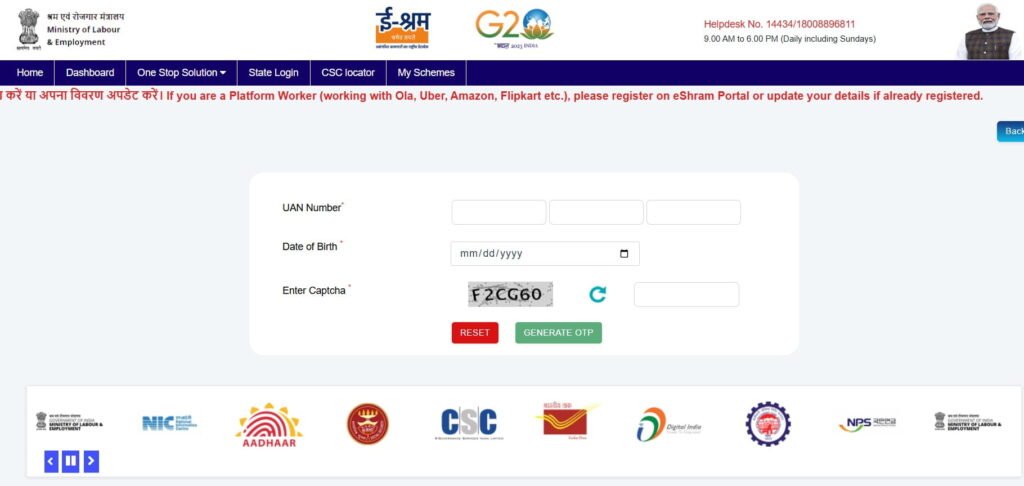
Step 3: Enter your UAN Number and Date of Birth.
If you already know your 12-digit Universal Account Number, enter it along with your date of birth, exactly as recorded at the time of registration.
Step 4: Complete the captcha and generate an OTP.
Fill in the security captcha shown on screen, then click to generate an OTP.
Step 5: Verify using the OTP.
An OTP will be sent to your Aadhaar-linked mobile number. Enter this code to log in to your account.
Step 6: View your profile status.
Once logged in, your dashboard will display your current registration status along with your full profile details, including your personal information, occupation, and bank account linkage.
What to do If You Have Forgotten Your UAN?
Losing track of your UAN is fairly common, especially for workers who registered some time ago and have not needed to log in since. If this happens, go to the e-Shram homepage and click “Already Registered? Update,” but instead of entering your UAN, use the option to log in using your Aadhaar-linked mobile number and the captcha, then verify with the OTP sent to that number. Once logged in this way, your dashboard will display your UAN, which you can then note down for future use.
Logging In Directly With Your UAN
If you already know your UAN, an alternative route on the portal is to select the “Login Using UAN” option directly, enter your 12-digit UAN along with your date of birth and the captcha, then click “Generate OTP.” Once the OTP is verified, you will have full access to your dashboard, including the option to download your card as a PDF.
How to Download Your UAN Card?
Once you are logged in and your status is confirmed, downloading your card is straightforward and can be done through any of the following official routes.
Through the e-Shram portal after logging in with your UAN or mobile number. After successful OTP verification on your dashboard, look for the prominent “Download UAN Card” button, generally shown as a large, clearly marked option on the page. Clicking this will generate and download your card as a PDF file, which you can save to your phone or print for physical use.
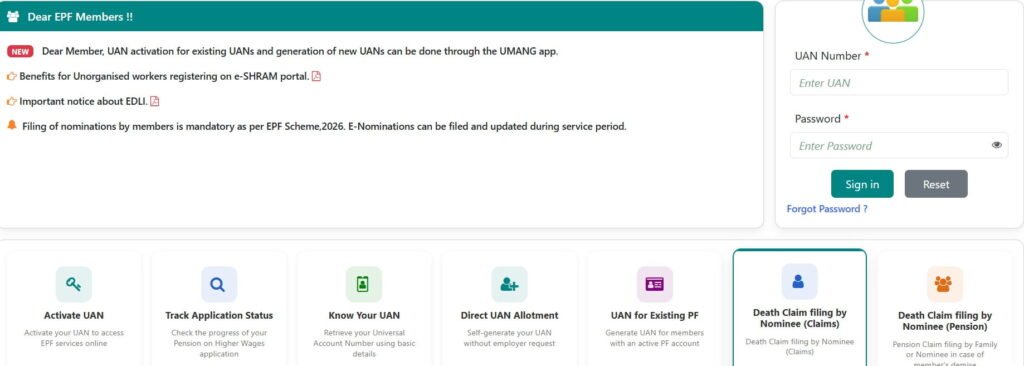
Through the e-Shram Data Access tool for checking the broader worker list. Separately from downloading your own individual card, the portal also offers an “e-Shram Data Access” option on the homepage, which allows you to search and preview worker records more broadly by filling in requested details and clicking “Preview and Download.” This is a different tool from your personal card download and is generally used for verification or record-checking purposes rather than for retrieving your own card.
Through the eShram mobile app or UMANG app. For workers who prefer a smartphone app over a browser, the same download functionality is also available through dedicated mobile applications linked to the e-Shram system, following a similar login and OTP verification process.

Once downloaded, it is worth keeping a digital copy of your UAN card saved on your phone at all times, since it can serve as a quick reference for your UAN, your registered occupation, and your basic profile details whenever you need to provide this information for a scheme application, a job opportunity, or an official verification.
How to Update Your e-Shram Profile?
Your UAN itself is permanent and never changes, but the underlying details on your profile, such as your mobile number, address, occupation, or bank account, may need to be updated over time as your circumstances change. Keeping this information current matters directly for benefit eligibility, since an outdated bank account can cause a direct benefit transfer to fail, and an inaccurate occupation code can exclude you from occupation-specific schemes like PM Vishwakarma.
Step 1: Log in to the e-Shram portal using your UAN and date of birth, or your Aadhaar-linked mobile number, followed by OTP verification, exactly as described in the status-check process above.
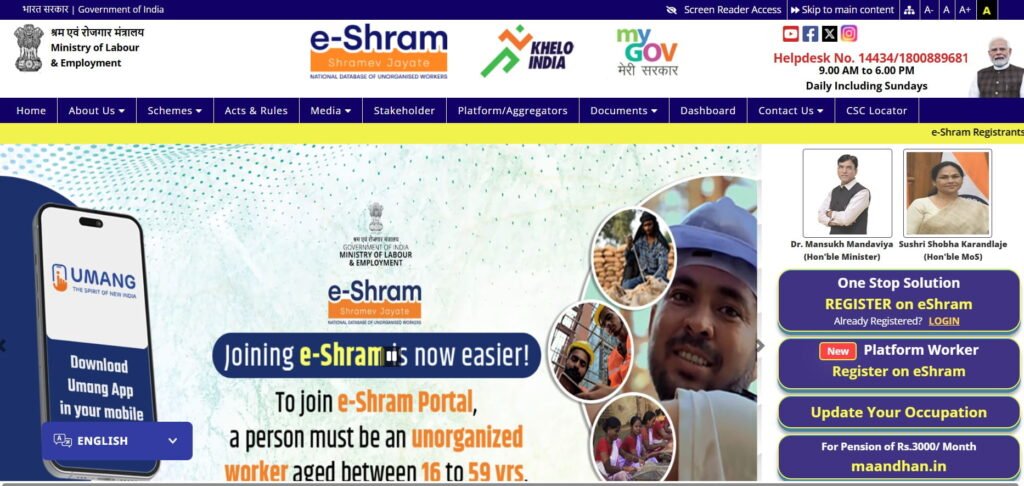
Step 2: Select “Update Profile.”
Once logged in, you will typically be presented with two main options: “Update Profile” and “Download UAN Card.” Choose “Update Profile” to proceed with making changes.
Step 3: Edit the relevant sections.
Depending on what needs to change, you can update your personal information, residential address, education details, occupation and skill information, or bank account details directly within the form.
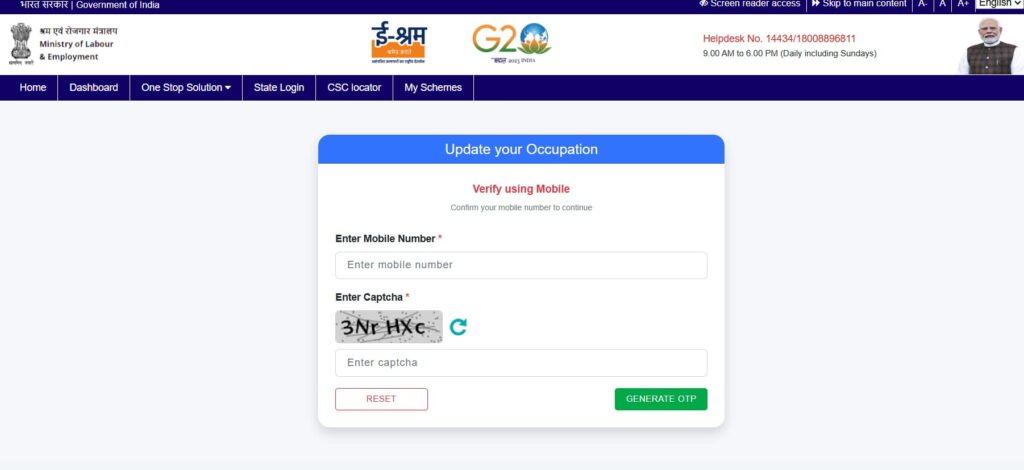
Step 4: Submit your changes.
After entering the corrected information, click the “Update” button at the bottom of the form.
Step 5: Download your refreshed card.
Your card will update immediately to reflect the new details, and you can download the refreshed version right away, replacing any older copy you had saved.
What to Do If Your Aadhaar Is Not Linked to Your Mobile Number?
Because the entire status-check and download process depends on receiving an OTP sent to your Aadhaar-linked mobile number, workers whose mobile number is not currently linked to their Aadhaar will not be able to access their dashboard through the standard online route. If this applies to you, the most reliable fix is to visit your nearest Aadhaar Seva Kendra and get your current mobile number linked to your Aadhaar record. Once that link is established, the standard OTP-based login process on the e-Shram portal will work as expected.
Alternatively, for the original registration process itself, workers whose Aadhaar is not linked to a mobile number can complete registration through a Common Service Centre or State Seva Kendra using biometric authentication instead, without needing an OTP at all.
Checking Whether You Qualify for Linked Schemes
Simply holding an e-Shram card does not automatically mean every linked scheme’s benefit has been activated for you; several of these schemes have their own separate conditions that must also be satisfied.
For schemes such as PM-SYM, PMSBY, and PMJJBY, which involve either a pension contribution or an insurance premium, your linked bank account needs to be validated for the relevant premium debit and eventual benefit payout. If this validation has not happened, visiting your bank to confirm your Aadhaar-bank account seeding is the necessary next step before these benefits can function correctly.
For PM Vishwakarma specifically, eligibility is restricted to workers practising one of around 18 recognized traditional artisan trades. If your occupation code on your e-Shram profile does not correctly reflect your actual trade, you may not appear in the eligibility list for this scheme even though you genuinely qualify by occupation, which is another strong reason to keep your occupation and skill details accurate and updated.
What to Do If Your Benefits Appear Stuck?
If you believe you are eligible for a particular linked scheme but the benefit has not materialized, whether that is a pending insurance claim, a missing pension credit, or a direct transfer that never arrived, there are a few practical steps to take before assuming something has gone permanently wrong.
- First, revisit your profile and confirm that your bank account details, Aadhaar linkage, and occupation code are all accurate, since a mismatch in any of these is the most common underlying cause of a stuck benefit.
- Second, check your actual bank account balance and, where relevant, the Public Financial Management System portal, to confirm whether a transfer was genuinely never made or whether it was made but simply not yet noticed.
- Third, if the issue persists despite your profile being accurate, you can escalate the matter by contacting your Labour Commissioner’s office, and in cases of prolonged inaction, some workers have used the Right to Information Act as a formal escalation route to seek clarity on a stalled benefit.
Contacting e-Shram Support
For workers who need direct assistance, whether for a registration issue, a status query, or a general question about eligibility, the Ministry of Labour and Employment maintains dedicated support channels for the e-Shram portal. A toll-free helpline is available, along with an alternate toll-free number, both intended to provide free phone-based assistance without needing to visit an office in person.
General email support is also available for written queries, and the Ministry’s physical office is located at Shram Shakti Bhawan, Rafi Marg, New Delhi. For most routine queries, however, a nearby Common Service Centre remains the most accessible option for in-person help, particularly in rural areas where visiting a government office in Delhi is simply not practical.
A Practical Checklist for e-Shram Cardholders
To make sure your e-Shram registration continues to work in your favour through 2026, the following routine is worth following.
- First, if you have not yet registered, do so as soon as you confirm you meet the eligibility criteria, since registration is completely free, fully online, and generally takes only a short time to complete when your Aadhaar and bank details are ready.
- Second, once registered, save your UAN somewhere secure and also keep a downloaded copy of your card on your phone, so you are never caught without access to your registration details when they are needed.
- Third, periodically log in to check your profile status, particularly if you have changed your phone number, address, or occupation since you first registered, and update these details promptly rather than letting them go stale.
- Fourth, confirm that your bank account is correctly Aadhaar-seeded and active, since this single link determines whether direct benefit transfers under multiple schemes will actually reach you.
- Fifth, if you work in one of the traditional artisan trades covered under PM Vishwakarma, double-check that your occupation code accurately reflects this, since an incorrect code can silently exclude you from a scheme you would otherwise qualify for.
- Sixth, if your Aadhaar is not linked to your current mobile number, get this resolved at an Aadhaar Seva Kendra as early as possible, since it is a prerequisite for almost every online interaction with your e-Shram profile going forward.
- Seventh, if a benefit you believe you are entitled to does not arrive, do not assume it is permanently lost; check your profile accuracy first, then escalate through the helpline or your Labour Commissioner if the issue remains unresolved.
Final Thoughts
The e-Shram Card represents something genuinely new for India’s vast unorganized workforce: a permanent, portable identity that follows a worker regardless of where they live or what job they take on next, and that connects them directly to insurance, pension, and welfare benefits that were previously very difficult for informal workers to access.
With more than 30 crore registrations already on record and new tools like the One Stop Solution App making it easier to apply for connected schemes through a single UAN, the practical value of the card continues to grow. Making the most of it comes down to a few simple habits: keep your profile details accurate and current, ensure your bank account and Aadhaar linkage are properly seeded, check your status periodically rather than only when a problem arises, and follow up promptly through the helpline or a Common Service Centre if a benefit you are entitled to does not show up as expected.
Official Sources
| Ministry of Labour and Employment | CLICK HERE |
| e-Shram profile | CLICK HERE |
| e-Shram portal login | CLICK HERE |
| UMANG APP | CLICK HERE |
Frequently Asked Questions
What is a UAN, and is it the same as the EPFO UAN?
The Universal Account Number issued through e-Shram is a distinct 12-digit identifier specific to the unorganized-worker database, separate from any Universal Account Number a worker might separately hold under EPFO if they later move into formal employment.
Who is eligible to register for an e-Shram card?
Unorganized-sector workers aged 16 to 59, who are Indian citizens and are not already members of EPFO, ESIC, or NPS. Students above 16 who work part-time in unorganized-sector jobs can also register, provided they are not covered under EPFO or ESIC.
Does my UAN expire or need to be renewed?
No. The UAN is permanent for life. However, you should still update your mobile number, address, or other changed details on your profile whenever they change, so your record stays accurate.
How do I check my e-Shram card status if I do not remember my UAN?
Use the “Already Registered? Update” option on the portal and log in using your Aadhaar-linked mobile number and OTP instead of your UAN. Once inside your dashboard, your UAN will be displayed.
Can I download my e-Shram card more than once?
Yes. There is no limit to how many times you can log in and download your UAN card, whether you have lost a previous copy or simply want an updated version after editing your profile.
Does the e-Shram card provide any direct cash benefit on its own?
No. The card itself is a registration document, not a payment instrument. Financial benefits arrive through separate linked schemes such as PM-SYM, PMSBY, and PMJJBY, or through occasional direct benefit transfers during specific relief measures, all routed to your linked bank account.
What should I do if my Aadhaar is not linked to my mobile number?
Visit an Aadhaar Seva Kendra to get the link established. Until then, you can still complete registration through a Common Service Centre using biometric authentication, though the standard OTP-based online status check and card download will not work.
I work as a traditional artisan. Why don’t I see myself eligible for PM Vishwakarma?
This is often because your occupation code on your e-Shram profile does not correctly match one of the roughly 18 recognized traditional trades covered under that scheme. Update your profile with the correct occupation details and check your eligibility again.
Is there a fee to register or check status on e-Shram?
No. Registration, status checking, and card download are all completely free on the official portal.